Canvas Tote Bag Mockup 11
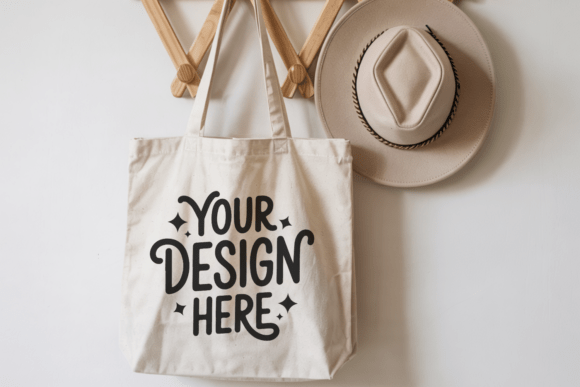
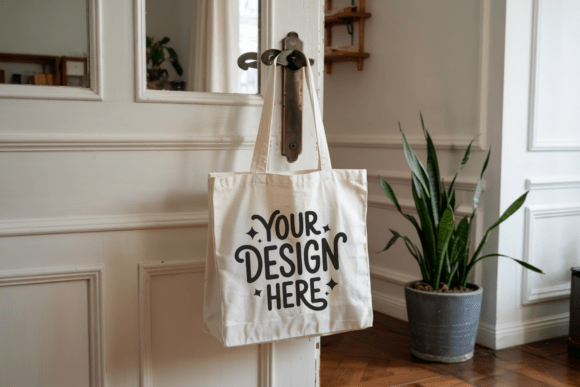
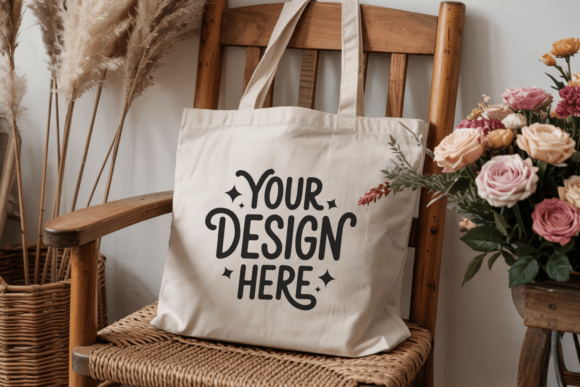
If you’ve ever spent hours perfecting a design—only to drop it into a low-res, poorly lit, or overly stylized mockup and wonder why it looks flat or disconnected—Canvas Tote Bag Mockup 11 was built for exactly that moment. It’s not just another generic bag template. This is a thoughtfully crafted, high-fidelity digital representation of a natural-toned canvas tote, photographed in soft, even lighting and styled with minimalist intention. Whether you’re listing on Etsy, preparing a client pitch, building a Pinterest portfolio, or updating your Instagram shop page, this mockup helps your artwork speak clearly—without visual noise competing for attention.
Why Designers Reach for Canvas Tote Bag Mockup 11 (and Why Some Regret It Later)
Most creators choose this mockup because it delivers three things reliably: realism, simplicity, and speed. The 300 DPI resolution ensures crisp edges—even when zoomed or printed. Its compatibility with Canva, Photoshop, Affinity Photo, and Figma means no software barriers. And the clean, watermark-free file saves time otherwise spent cropping or color-correcting distractions.
But here’s where things often go off track: people assume “minimalist” means “universal.” They drop bold neon illustrations or high-contrast typography onto Canvas Tote Bag Mockup 11 and are surprised when the final image feels jarring—not elevated. That’s not a flaw in the mockup. It’s a mismatch between design intent and context.
A Few Overlooked Details That Change Everything
Lighting isn’t just aesthetic—it’s functional. Canvas Tote Bag Mockup 11 uses natural, diffused light. That means shadows are soft, fabric texture is visible but not dominant, and colors render closer to how they’d appear in daylight. If your screen is overly bright or calibrated for gaming or video editing, your design may look washed out or oversaturated in the mockup. Always preview at 100% zoom on a well-calibrated display—and if possible, check the result on a second device before publishing.
Scale matters more than you think. This mockup includes smart layer placement (especially in Photoshop), but many users drag their artwork in at full size, then shrink it until it fits—unintentionally blurring fine lines or thin text. Instead: resize your design *before* placing it, matching the approximate dimensions shown in the mockup guide (usually included in the ZIP). In Canva, use the “Resize” tool first, then paste. In Photoshop, use Image → Image Size, not free-transform scaling.
Not all “canvas” looks the same. Some mockups simulate heavy duck canvas; others lean into lightweight, slightly slubby cotton. Canvas Tote Bag Mockup 11 sits in the middle—textured enough to feel authentic, smooth enough to support delicate linework or subtle gradients. If your design relies on ultra-fine halftones or intricate embroidery-style details, test it at actual print size first. A 1:1 pixel preview helps catch issues early.
What to Check Before You Download—or Buy
- File structure: Does the ZIP contain only the JPG, or does it include layered PSD/PSB files? Canvas Tote Bag Mockup 11 is delivered as a single high-res JPG—but it’s intelligently designed with shadow depth and natural fold lines so your design integrates smoothly without layers. Don’t pay extra for complexity you won’t use.
- Usage rights: Confirm whether commercial use is explicitly permitted—and whether attribution is required. Canvas Tote Bag Mockup 11 comes with full commercial license, no strings attached.
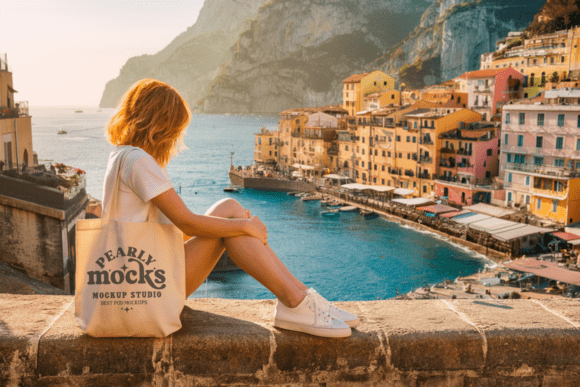
- Background flexibility: Is the background pure white, transparent, or lifestyle-based? This version uses a clean, neutral studio backdrop—ideal for marketplaces like Etsy or Amazon that require white backgrounds. For lifestyle shots (e.g., flat lays on wood or marble), pair it with a separate background photo instead of trying to composite mid-mockup.
- Color profile: The file uses sRGB—not Adobe RGB or ProPhoto. That ensures consistent appearance across browsers, social platforms, and basic editing tools. If you work in wide-gamut color spaces, convert your design to sRGB before placing it.
Better Choices Start With Intentional Pairing
Canvas Tote Bag Mockup 11 shines brightest alongside designs that respect its quiet confidence: hand-lettered quotes, botanical line art, muted watercolor florals, geometric patterns with breathing room, or understated brand marks. It’s less ideal for maximalist collage, busy repeat patterns, or photorealistic portraits—unless those elements are intentionally simplified for tote-scale legibility.
Think about where your audience will see it. On Pinterest? Use the mockup in a vertical crop (1080x1350px works well) with subtle text overlay—no need to crowd the bag itself. For Printify or Gelato integrations? Stick to center-aligned placements and avoid stretching artwork into seam areas—the mockup reflects real-world printing boundaries.
And if you’re using it for client presentations? Skip the “before-and-after” slide clutter. Instead, place your design once—clean, centered, properly scaled—and add a short caption: “Shown on natural canvas tote, ready for production.” Clarity builds trust faster than decoration.
Realistic Expectations, Real Results
No mockup replaces physical sampling—but Canvas Tote Bag Mockup 11 gets remarkably close for day-to-day needs. It won’t simulate how ink bleeds on unbleached cotton, nor how a tote sags under weight. But it *does* show how your color palette interacts with warm, organic fabric tones. It *does* reflect how legible your font remains at 12 inches wide. And it *does* give buyers a trustworthy sense of craft—not just concept.
That’s why seasoned designers revisit this mockup again and again: it removes guesswork, not creativity. It doesn’t demand perfection from your artwork—it asks only that you meet it halfway with thoughtful placement, honest color checks, and respect for context.
Your designs deserve presentation that supports—not overshadows—what makes them unique. Canvas Tote Bag Mockup 11 doesn’t shout. It listens. And when used with care, it helps your work do the same.