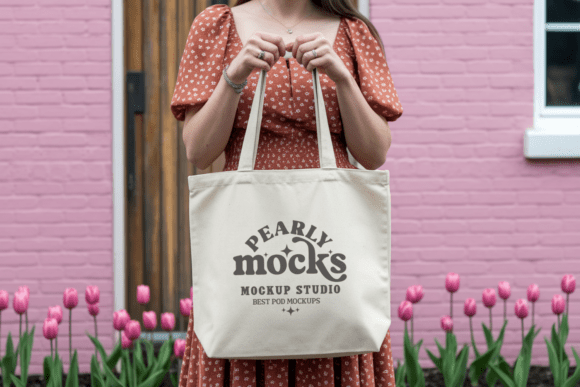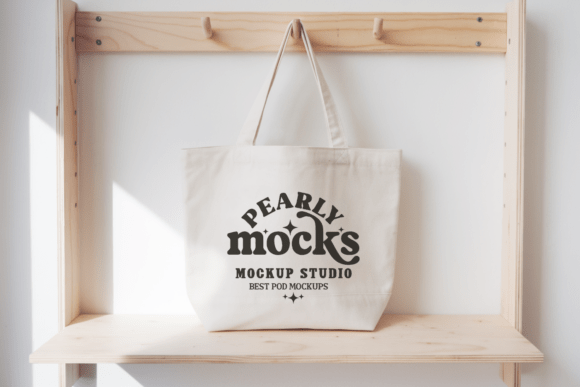
Boho Tote Bag Mockup: Elevate Your Design Presentations in Seconds
Whether you're launching your first Etsy shop, pitching to a boutique brand, or building a cohesive Instagram feed for your lifestyle brand, how your design appears *in context* matters more than ever. A flat JPEG of your artwork doesn’t tell the full story — but a Boho Tote Bag Mockup does. It transforms abstract creativity into tangible, relatable lifestyle imagery. And with Tote Bag Mockup 16, you get a refined, versatile, and instantly usable tool that bridges the gap between concept and customer connection.
Why Context Changes Everything
Think about scrolling through Instagram or browsing an online marketplace. You don’t stop for isolated logos or unplaced patterns — you pause for moments that feel real: a sunlit picnic with a hand-dyed tote slung over a shoulder, a minimalist café scene where a cactus-print canvas bag sits beside a ceramic mug, or a boho-chic bridesmaid moment where coordinated totes add warmth and intentionality. That’s the power of a well-executed mockup. It doesn’t just show *what* you designed — it shows *where* and *how* it lives.
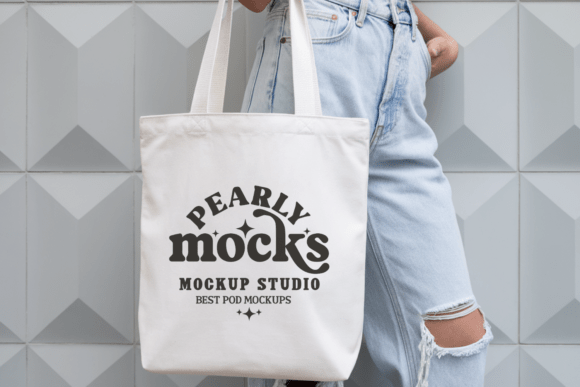
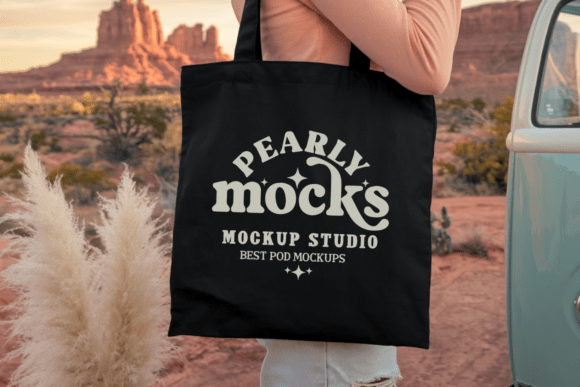
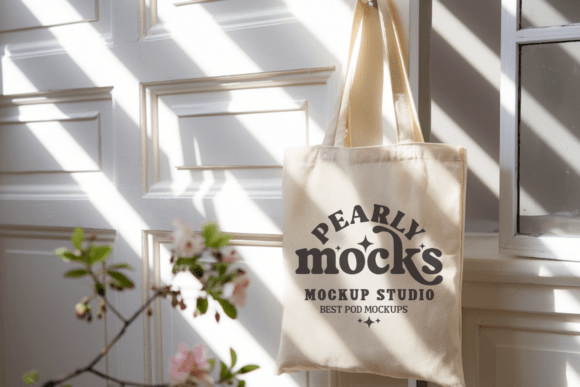
The Boho Tote Bag Mockup is built for this exact purpose. Its styling leans into organic textures, soft shadows, and natural light — not sterile studio backdrops. That means your designs land with authenticity, not artifice. It’s especially effective for creators working in earthy palettes, botanical motifs, line-drawn florals, or desert-inspired minimalism — like those featured in the Cactus Minimalist Tote Bag Mockup or Boho Aesthetic Tote Bridesmaid Mockup.
What Makes Tote Bag Mockup 16 Stand Out
Not all mockups are created equal — and “usable” doesn’t always mean “effortless.” Tote Bag Mockup 16 was crafted with real-world workflows in mind. Here’s what sets it apart:
- One clean JPG file — no layers to manage, no PSD complexity unless you want it. Just open, drop in your design, and go.
- 300 DPI resolution — sharp enough for print catalogs, social thumbnails, and even high-res web banners without pixelation.
- Universal compatibility — works natively in Canva (ideal for quick social posts), Photoshop (for precise masking and blending), Affinity Photo, Figma, and even Google Slides via image import.
- No watermarks, no restrictions — fully commercial use, ready for client presentations, Shopify listings, or pitch decks.
This isn’t a placeholder — it’s a production-ready asset. If you’ve ever spent 45 minutes wrestling with smart objects or trying to match lighting angles across three different mockups, you’ll appreciate how Tote Bag Mockup 16 cuts straight to clarity.
Fitting Into Real Creative Workflows
Let’s talk practicality. How does this actually slot into your day?
For POD sellers: You’re uploading designs to Printful or Gelato daily. Instead of generic white-background renders, use the Boho Tote Bag Mockup to preview how your mandala pattern looks on a relaxed, draped canvas — then export directly for your product page. Shoppers respond to realism, and that subtle drape, visible stitching, and natural fabric fold signal quality before they even read your description.
For wedding stationery designers: The Boho Aesthetic Tote Bridesmaid Mockup lets you show how custom monogrammed totes look as part of the full bridal suite — alongside matching invites, napkins, and signage. It helps clients visualize cohesion, not just individual items.
For influencers and content creators: Need a polished flat lay for a Reel about sustainable shopping? Layer your own logo onto the Cotton Canvas Tote Bag Mockup, pair it with dried lavender and a woven basket, and you’ve got scroll-stopping storytelling — no photoshoot required.
Design Tips That Actually Help
A great mockup gives you freedom — but a few intentional choices make your work shine even brighter:
- Match your color story to natural light. Since this mockup uses soft, diffused lighting (think early afternoon near a large window), avoid ultra-saturated neon overlays unless you’re going for bold contrast. Earthy tones, muted pastels, and creamy whites integrate seamlessly.
- Respect the bag’s proportions. The front panel has generous real estate — perfect for centered illustrations or typographic statements — but the side gusset and handles aren’t meant for primary design placement. Keep focal points within the main visible plane.
- Use subtle texture overlays sparingly. The mockup already includes realistic canvas grain. Adding extra noise or paper texture can compete visually — unless you’re intentionally layering a hand-lettered sketch effect.
- Test across devices. What reads clearly on desktop may blur on mobile. Preview your final export at 50% zoom — if text remains legible and key details pop, you’re set.
And yes — colors may shift slightly depending on screen calibration or ambient lighting in your workspace. That’s normal. Always soft-proof using sRGB color profiles, and when in doubt, lean into slightly richer saturation to compensate for typical display flattening.
More Than Just a Bag — It’s a Visual Language
The Boho Tote Bag Mockup taps into something deeper than trend: it speaks to values. Sustainability. Intentionality. Handmade warmth in a digital world. That’s why it pairs so naturally with terms like Lifestyle Mock Up, Influencer Mockup, and Trendy Realistic Beach Bag POD. It doesn’t shout — it invites.
It’s also remarkably adaptable. Swap out a floral motif for geometric linework? Works. Replace sage green with terracotta and ochre? Still harmonious. Even the Liberty Bag Mockup variant — with its signature drape and vintage-leaning silhouette — shares the same underlying ethos: elegance through simplicity, impact through authenticity.
Getting Started Takes Less Time Than Making Coffee
Here’s the actual sequence — no fluff, no learning curve:
- Download and unzip the folder (it’s lightweight — under 5 MB).
- Open the included JPG in Canva, Photoshop, or your preferred editor.
- Drag your design file onto the canvas. Resize it to fit the visible front panel — most editors auto-snap to center or offer alignment guides.
- Adjust opacity or blending mode if needed (try “Multiply” for ink-like depth on lighter designs).
- Export as PNG or JPG — and you’re done.
You won’t need tutorials. You won’t need plugins. You won’t need to hire a retoucher. Just your idea, your tools, and Tote Bag Mockup 16 — ready to turn vision into visual proof.
Final Thought: Your Designs Deserve This Level of Care
A mockup isn’t decoration. It’s translation. It’s how your creative voice becomes legible to someone scrolling on their phone at 8 a.m., half-awake and looking for meaning — or a beautiful, functional thing they’ll carry all summer.
So whether you’re exploring the OAD113 Mockup series, building a branded collection around the Shopping Bag Mockup, or refining your aesthetic with the Boho Tote Mockup, remember: consistency, clarity, and quiet confidence are what convert interest into action. And with Boho Tote Bag Mockup — crisp, clean, and deeply human — you’re not just showing off your work. You’re inviting people into the feeling behind it.